Portfolios
Group trades into named buckets so analytics can slice the way you think about your trading.
A portfolio is a user-defined bucket of trades, scoped to your organization. Each trade can belong to at most one portfolio (or none), and most pages - Dashboard, Calendar, Trades, Positions, Strategies, Risk & Insights - accept a portfolio filter to narrow the view. The filter supports selecting multiple portfolios and a separate No Portfolio Assigned option.
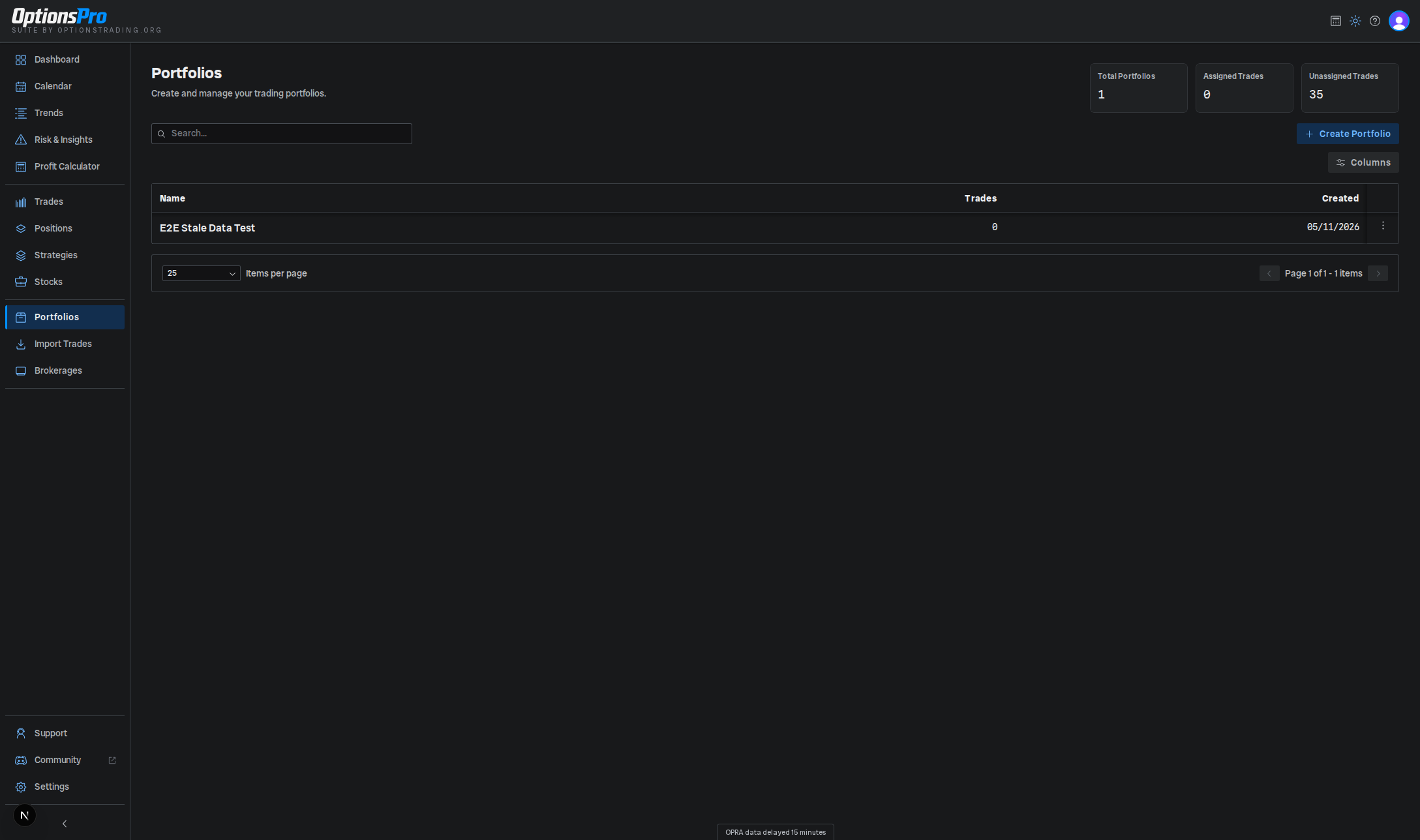
Portfolios are a Pro-tier feature. The free tier shows a Pro upgrade card on the Portfolios page.
Why portfolios?
Common groupings:
- By strategy style - "Theta farming" vs. "Long premium".
- By account type - "Taxable" vs. "Roth IRA".
- By capital pool - "Core account" vs. "Risk capital".
A portfolio's analytics are independent: filters in Dashboard, Calendar, and the rest of the app reduce the data set to just the trades you've assigned there.
Creating a portfolio
- Open Portfolios from the sidebar.
- Click Create Portfolio.
- Enter a name and confirm.
There's no color picker and no account selector - portfolios are populated by assigning trades, not by linking accounts.
Assigning trades
Newly synced and manually entered trades start unassigned - there is no default portfolio. Trades are assigned manually, one of two ways:
- In the Trades table, each row's Portfolio column is an inline dropdown. Pick a portfolio to set the assignment, or clear it to leave the trade unassigned.
- The AI assistant can assign trades on your behalf, but only after you approve the action - see AI Insights.
The Trades page also offers a Group by Portfolio view mode that buckets the visible trades into per-portfolio groups (with an Unassigned group) for quick review.
The Portfolios page itself shows summary cards for Total Portfolios, Assigned Trades, and Unassigned Trades so you can see at a glance how much of your activity is currently sorted.
Renaming and deleting
The row's actions menu has:
- Rename - opens a dialog to edit the portfolio's name.
- Delete - removes the portfolio. Trades that were assigned to it become unassigned; they're not deleted. You'll be asked to confirm, and the action can't be undone.