Fee Overrides
Replace broker-reported fees with your own values when the broker's math is missing, wrong, or inconvenient.
Some brokers report fees incorrectly, roll them into a single unlabeled charge, or omit them entirely. Fee overrides let you replace the computed fee on any trade - or set a default fee for an entire brokerage - without touching the underlying execution record.
When to use them
- The broker returns zero fees but you know fees were charged.
- You want to model "what would my P&L have been at a different broker?"
- Per-contract commissions changed mid-period and the broker didn't update historical records.
Setting a per-trade override
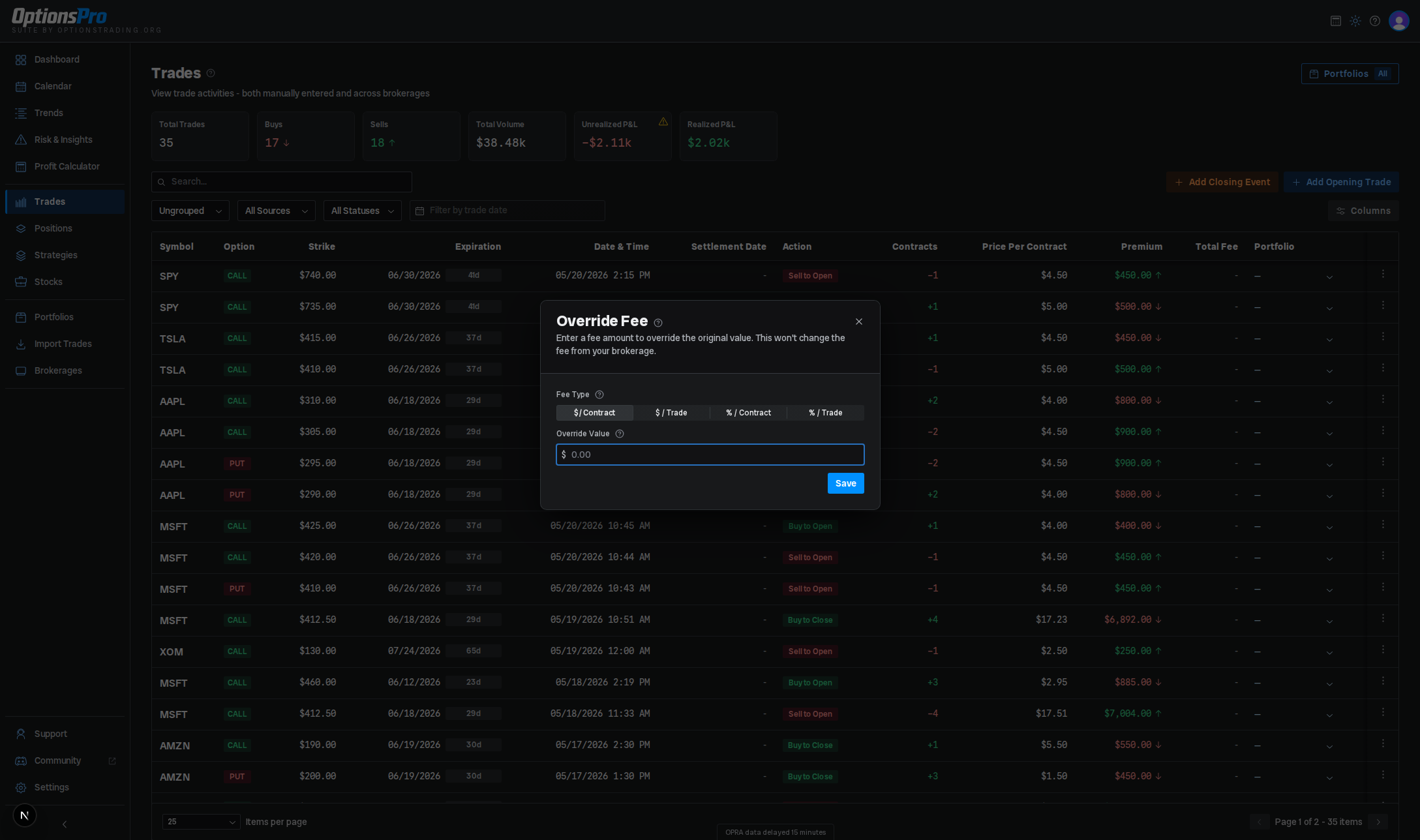
- From the Trades row actions, pick Override Fee.
- Pick a mode:
- $ / Contract - flat dollar fee multiplied by contracts.
- $ / Trade - flat dollar fee applied once.
- % / Contract - percentage of premium per contract.
- % / Trade - percentage of total premium for the trade.
- Enter the amount.
- Save.
For a given trade, % / Contract and % / Trade always resolve to the same dollar fee - a percentage of the per-contract premium times the contract count is mathematically the same as that percentage of total premium. Pick whichever framing is more natural; the result won't differ.
The trade's fee value in the table is rendered in a tinted color to indicate an override is active - blue for a per-trade override, teal for a brokerage-level default. To see the original broker-reported fee alongside the override, reopen the override modal.
Setting a brokerage-level default
To apply the same override to every trade imported from a given brokerage:
- Open the Brokerages page.
- From the row's actions menu, pick Fee Override.
- Pick a mode and enter an amount, then save.
A brokerage-level override applies to every trade from that brokerage - past and future - unless that trade has its own per-trade override.
Precedence
When more than one is set, the effective fee is resolved in this order:
- Per-trade override (if present).
- Brokerage-level override (if present).
- The broker-reported fee on the trade.
Where overrides apply
Overrides are resolved at read time - they aren't baked into stored P&L - so setting or changing one immediately updates every affected trade, including historical ones, everywhere fees are used:
- Realized P&L on the Dashboard and Trades tables.
- Equity curve and monthly performance charts.
- Strategy P&L aggregations.
The original broker-reported fee on the trade is never modified - overrides only change how OptionsPro reports P&L.
Removing an override
Open the override modal again and click Clear Override. The trade immediately reverts to the next level in the precedence chain (the brokerage default, or the broker-reported fee), and all downstream P&L is recomputed.