Manual Trade Entry
Add trades that aren't in your brokerage - historical fills, off-platform trades, or paper-trading scenarios.
Not every trade is in a connected brokerage. You may have an old account that's since closed, a broker we don't support yet, or trades from a paper-trading scenario you want to include in the journal. Manual entry covers all of these.
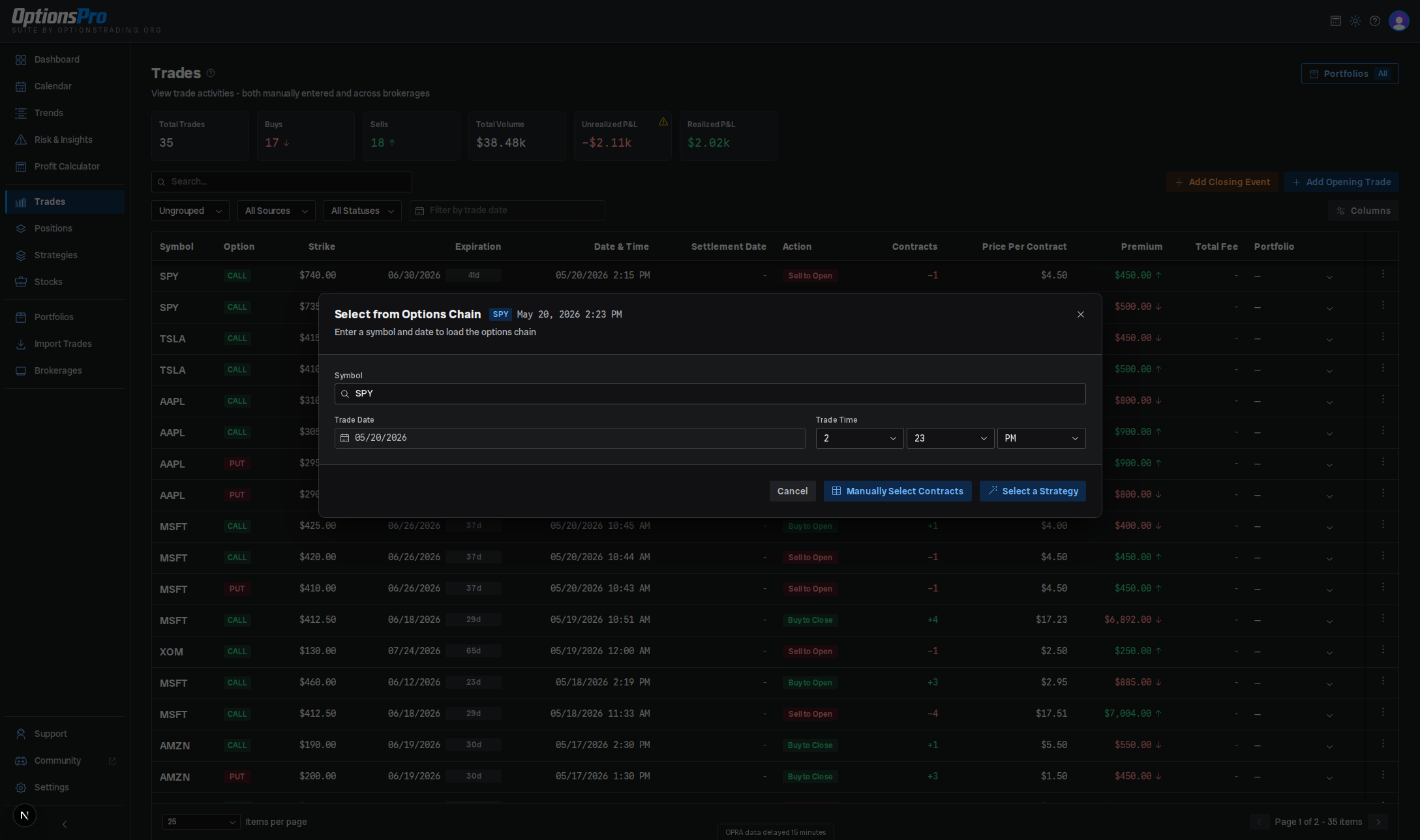
Opening the form
The Trades page has two header buttons:
- Add Opening Trade - opens the Options Chain Selector to record a new opening position (Buy to Open / Sell to Open).
- Add Closing Event - opens the close-position modal for an existing manual open leg. See Closing Trades for that flow.
The selector also detects when one of your selected contracts would close an existing open position and prompts you to confirm those as BTC/STC instead of new openers.
How the flow works
- Enter the underlying Symbol, Trade Date (defaults to today), and Trade Time, then choose Manually Select Contracts or Select a Strategy.
- The chain loads. In manual mode, click contracts in the split call/put table to add as many legs as you need. In strategy mode, pick a structure (vertical, iron condor, straddle, etc.) and the selector auto-fills the legs around the at-the-money strike.
- Click Finalize Selection to move to the preview.
- In the preview, adjust each leg's Action (Buy/Long or Sell/Short), # of Contracts, Cost Per Share (per-share premium, defaults to the chain mid), and optional Total Fee, then click Confirm Selection. If any legs match an existing open position you'll get a closing-trades confirmation step before the trades are written.
Strategy detection runs after the trade is saved - if the legs match a known structure they get grouped on the Strategies page.
Editing and deleting
Manual trades cannot be edited inline. To correct one, delete it from the row's action menu (Delete Trade) and re-enter it. Fees are the exception - use Override Fee in the same menu to change a trade's fee without re-creating it (see Fee overrides). Broker-sourced trades can never be deleted - doing so would break position reconciliation.
Gotchas
- Manual trades have no
brokerageIdoraccountIdand aren't tied to a brokerage account. Unrealized P&L still tracks live marks from the options data feed, but there's no broker reconciliation to fall back on. - Portfolio assignment isn't part of the entry form - assign a manual trade to a portfolio later via the inline Portfolio column on the trades table.
- Trades created here are tagged
source: "manual", which is what makes them deletable later. Broker-sourced trades share the same row actions but can't be deleted.